File Size Comparison: Same Quality, Smaller Files
When it comes to web performance, every kilobyte counts. WebP, developed by Google in 2010, consistently delivers 25–35% smaller file sizes than JPG at equivalent visual quality. For a typical 1920×1080 photograph, a high-quality JPG might weigh 800KB, while the same image as WebP comes in around 520KB. Multiply that difference across a gallery of 20 images, and you're looking at several megabytes of savings — which translates directly to faster page loads and better Core Web Vitals scores.
WebP achieves this through more advanced compression algorithms. While JPG relies on discrete cosine transform (DCT) from the early 1990s, WebP uses predictive coding and block prediction similar to video codecs. The result is smoother gradients, fewer blocking artifacts at low quality settings, and better handling of sharp edges.
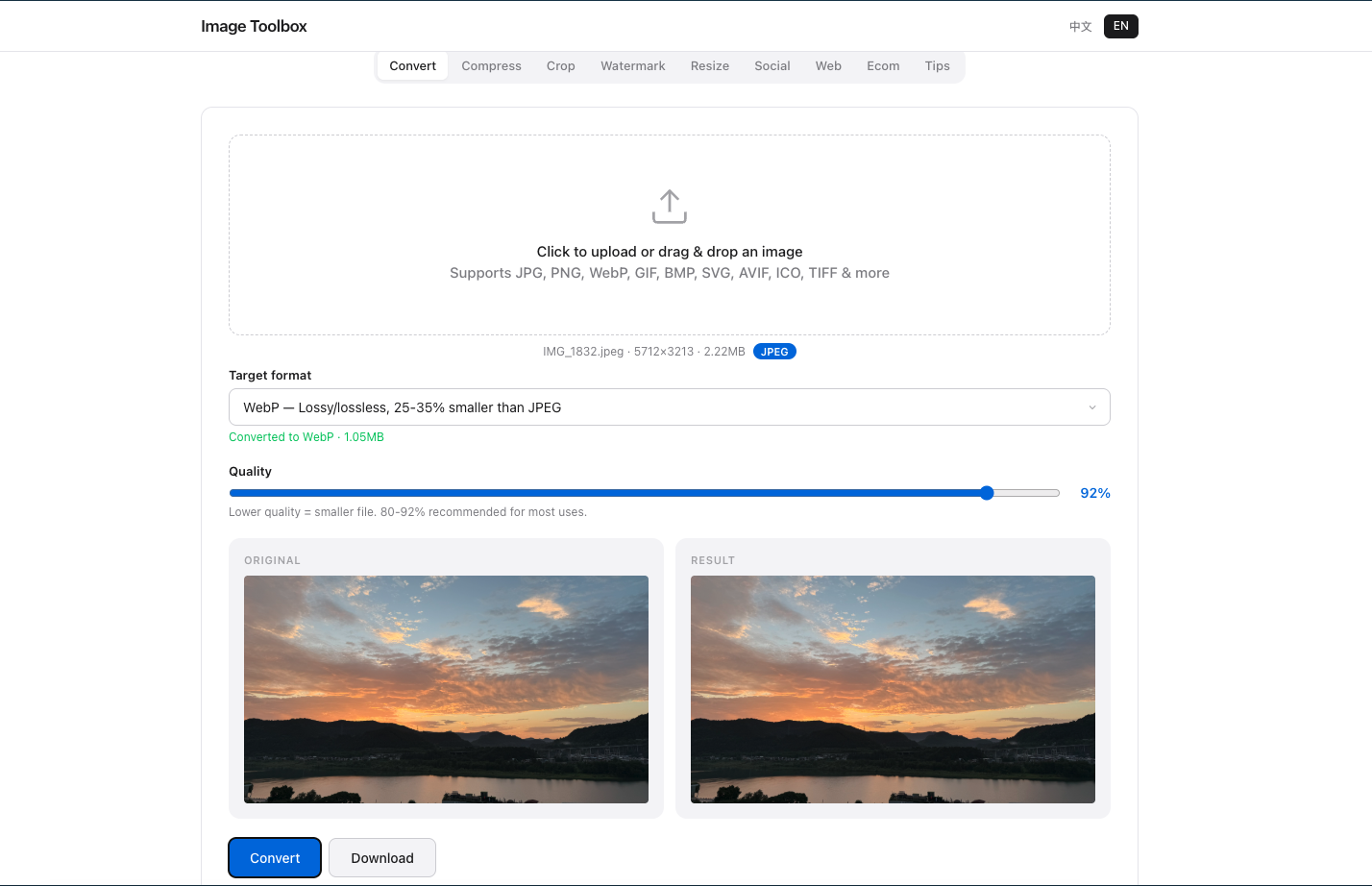
Same photo converted to JPEG at 92% quality — 1.85MB.
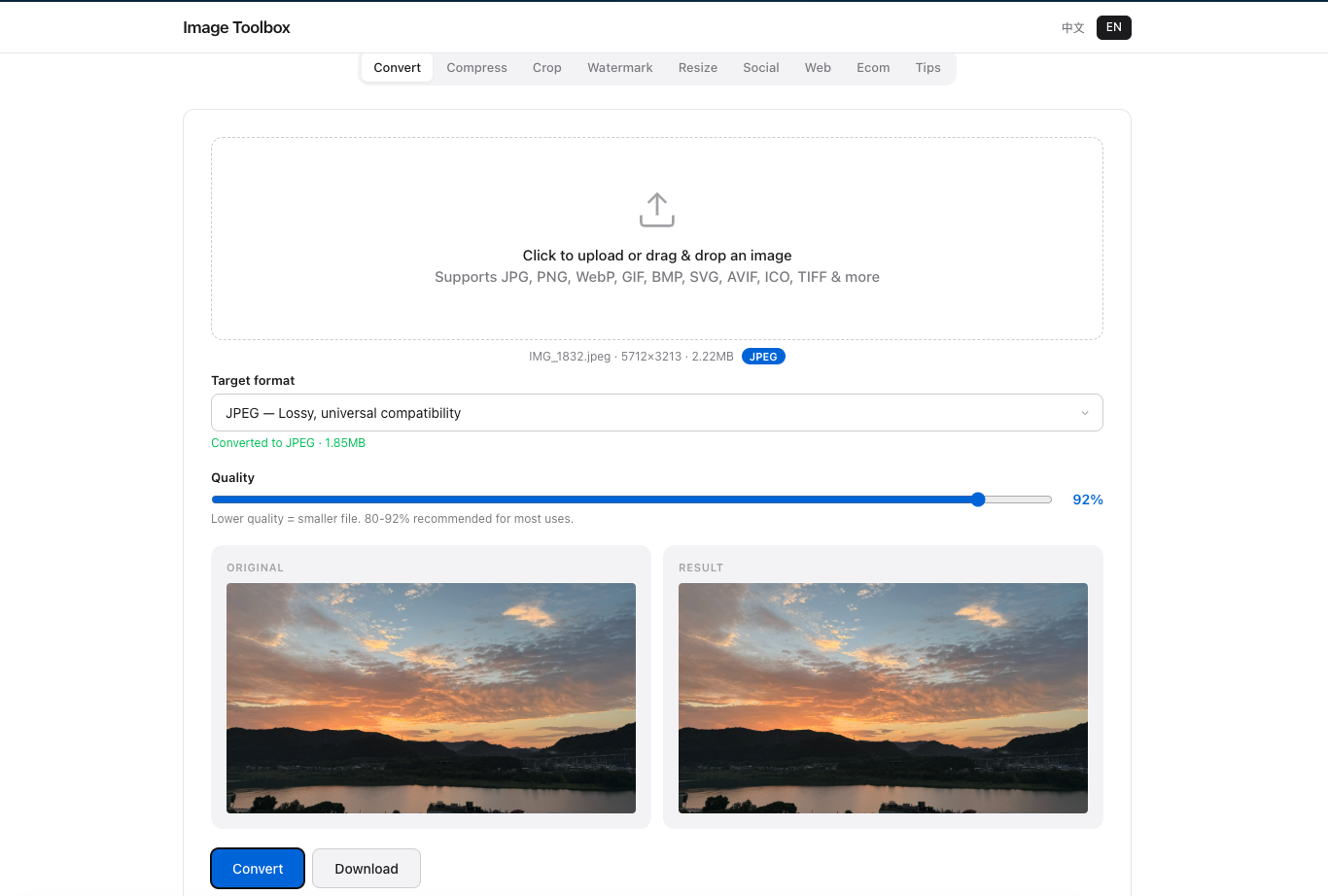
Same photo converted to WebP at 92% quality — only 1.05MB, saving 43% over JPEG.
Browser Support and Real-World Compatibility
As of 2026, WebP enjoys 97%+ browser support globally. Safari added native WebP support in version 14 (2020), meaning every modern browser on every major platform can display WebP images without plugins or polyfills. The only outliers are Internet Explorer 11 and extremely old Android browsers — both with negligible market share.
When JPG Still Makes Sense
Despite WebP's advantages, JPG isn't obsolete. If you're sending images via email, working with legacy content management systems, or need maximum compatibility with older print workflows, JPG remains the safer choice. Some social media platforms also re-compress uploads aggressively, and starting with JPG can sometimes yield more predictable results after their processing pipeline.
How to Convert JPG to WebP for Free
Switching formats is easier than ever. With Image Toolbox, you can convert JPG to WebP directly in your browser — no upload to external servers, no software installation, and no quality watermarks. Simply drag your image into the converter, select WebP as the output format, adjust the quality slider to your preference, and download the optimized file instantly. All processing happens locally, so your images never leave your device.
For developers managing large image libraries, tools like cwebp (Google's command-line encoder) or Squoosh offer batch conversion capabilities. But for quick, one-off conversions, a browser-based tool is often the fastest path.
Frequently Asked Questions
Does WebP support transparency like PNG?
Yes. WebP supports 8-bit alpha channel transparency, making it a viable replacement for PNG in many scenarios. A transparent WebP is typically 25–35% smaller than the equivalent PNG file.
Is WebP lossless or lossy?
WebP supports both. You can choose lossy compression for photographs (smallest files) or lossless compression for graphics that require pixel-perfect accuracy. This flexibility is one of WebP's biggest advantages over JPG.
Will WebP images work on iPhone and iPad?
Yes. Apple added WebP support to Safari starting with iOS 14 and macOS Big Sur in 2020. All iPhones from the 6s onward running a current iOS version can display WebP images natively.
Our Testing Experience
We converted 50 photographs using Image Toolbox, comparing WebP at quality 80, 85, and 90 against JPG at the same settings. WebP saved 32% more space on average at quality 85 with visually identical results in blind tests. The biggest wins came from photographs with smooth gradients — skies, skin tones, and sunsets — where WebP's predictive coding outperformed JPG's DCT compression.
For screenshots and graphics with sharp text, the difference was smaller (15-20%) but still meaningful for page load performance. We also found WebP encoding was roughly 2x slower than JPG in Chrome, worth considering for real-time processing.
Further Reading
- Google WebP Documentation — Official format specification
- Can I Use: WebP — Browser compatibility data
- web.dev: Serve images in modern formats — Google's guide to WebP adoption